
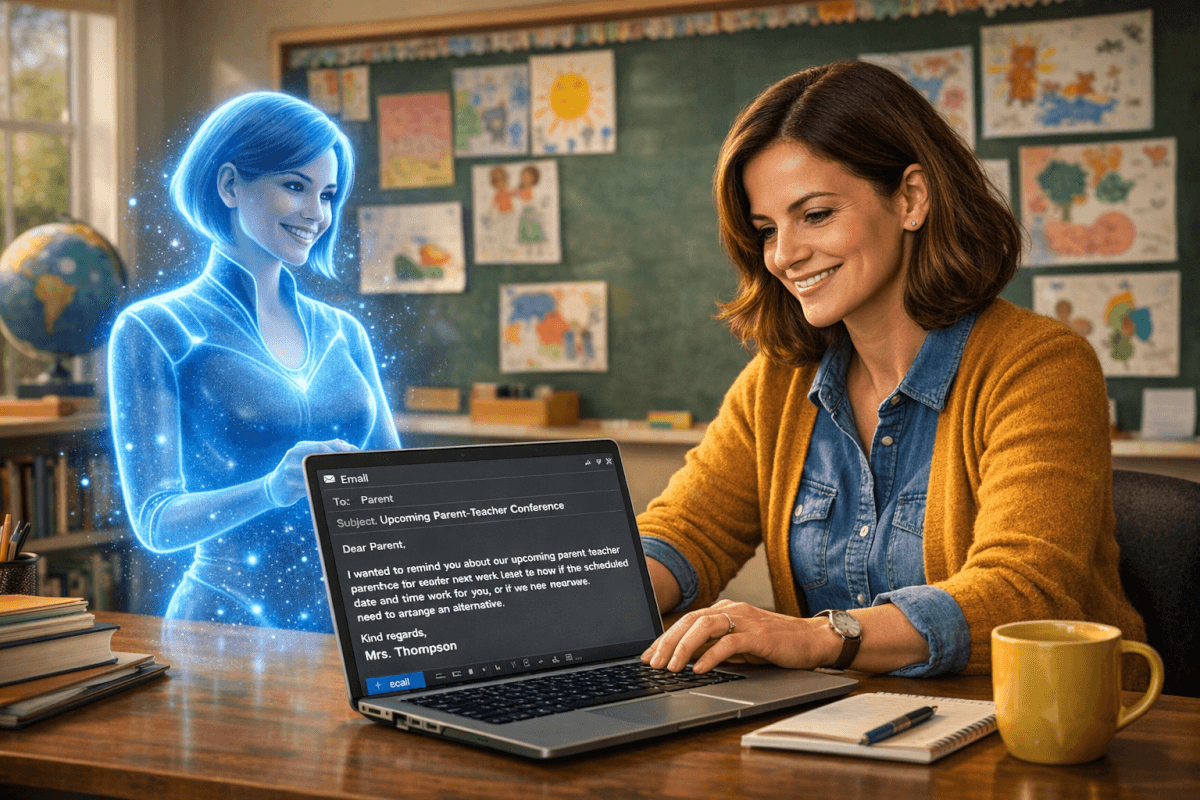
A Teacher's Guide to Using AI for Parent and Family Communication
Parent communication is one of the most critical — and time-consuming — parts of teaching. Whether it’s updating families on student progress, sharing concerns about behavior, or sending reminders about upcoming events, the hours spent crafting thoughtful, clear, and professional emails can quickly add up. If you’ve ever found yourself staring at your computer at 8 p.m., trying to find the right words to address a sensitive topic, you’re not alone.
That’s where technology like an AI email generator for teachers can help. By automating some of the heavy lifting, AI tools can save you hours each week while allowing you to focus on the most important part: the personal connection with your students’ families. Let’s explore how these tools work, when they’re most helpful, and how you can use them to foster stronger, more effective communication with parents.
Common Parent Communication Scenarios Made Easier with AI
Let’s be honest: the variety of emails we send to parents can feel endless. Here are some of the most common types of parent communication and how an AI email generator for teachers can help make the process smoother.
1. Progress Updates
Sending updates about student progress is a routine but vital part of teaching. Whether it’s a glowing report about how well a student is mastering fractions or a note about missing assignments, these updates need to be clear, specific, and professional.
- How AI Helps: AI tools can generate a first draft based on your input. For example, if you provide a few details about the student's performance, the AI can create a structured, positive email that focuses on strengths while addressing areas for improvement.
- Example: After entering "John has improved in his reading comprehension but still struggles with fluency," the AI might draft: "Dear Mrs. Smith, I wanted to share an update on John’s progress. He’s made great strides in understanding the main ideas of texts, which is fantastic to see! However, we’re continuing to work on his reading fluency. I’ll keep you updated on his progress and share resources that might help him at home. Thank you for your support!"
2. Behavior Concerns
Let’s face it, communicating difficult news about behavior is never easy. It’s essential to strike the right balance between addressing the issue and showing empathy for the student and their family.
- How AI Helps: An AI email generator can provide a professional, compassionate framework for delivering sensitive news. It can even suggest language that minimizes defensiveness while focusing on solutions.
- Example: By entering "Elena has been distracting other students in class," the AI might suggest: "Dear Mr. and Mrs. Lopez, I wanted to share a concern regarding Elena’s focus in class. She’s been enthusiastic during discussions, but sometimes her excitement leads to distractions for her classmates. I’d love to collaborate with you on strategies to help her channel that energy positively. Please let me know a time that works for you to discuss this further."
3. Event Reminders and Logistics
From field trips to parent-teacher conferences, teachers frequently send emails packed with dates, times, and details. And let’s be honest, even the most organized among us have accidentally left out a key piece of information before hitting “send.”
- How AI Helps: AI tools ensure nothing gets overlooked by drafting a complete, polished email with all the necessary details. Some even have templates for common scenarios.
- Example: By entering "Field trip to the museum on Friday at 10 a.m., students need permission slips and packed lunches," the AI might generate: "Dear Families, This Friday, we’ll be visiting the City Museum as part of our history unit. Please ensure your child brings a signed permission slip and a packed lunch. We will leave the school at 10 a.m. and return by 2 p.m. Thank you for helping make this a memorable experience for our students!"
Personalizing AI-Generated Messages
One of the most common concerns teachers have about using AI for parent communication is that it might feel impersonal. The reality is, AI drafts allow you to focus more on personalizing your message, not less.
Consider this: Instead of spending 20 minutes agonizing over the structure of a behavior update email, AI can give you a polished draft in seconds. You can then use that time to add specific examples, express your support for the student, and include any questions or suggestions for the family.
For example, if an AI drafts the sentence "We’re focusing on helping Tom improve his focus during independent work," you might add, "Yesterday, I noticed he worked diligently on his math problems for 10 straight minutes, which was a big win!" That personal touch makes all the difference.
Communicating with Multilingual Families
In today’s diverse classrooms, many teachers work with families who speak languages other than English. This can add another layer of complexity to parent communication, especially when using online translation tools that don’t always capture nuance or professionalism.
Luckily, some AI tools offer advanced translation capabilities, allowing you to write an email in English and instantly generate a professional translation in the family’s preferred language. Even better, the tone and formality of the message remain intact, so you don’t have to worry about sounding too casual or overly rigid.
For instance, PlanSpark’s Email Generator can translate your email into multiple languages while ensuring it’s clear and parent-friendly. Always review translations with a trusted colleague or bilingual staff member to ensure accuracy when possible.
Tips for Using AI to Navigate Difficult Conversations
Not every email we send to parents is a celebration. Whether it’s discussing academic challenges, addressing behavior, or sharing tough news, AI can help you approach these conversations with compassion and professionalism. Here are some tips:
- Start with empathy: AI can help you craft opening lines that acknowledge the parent’s perspective. For example, "I understand how important it is to you that Sarah feels successful in the classroom."
- Focus on solutions: AI can frame challenges in a way that emphasizes collaboration. "I’d love to work together to create a plan that helps Ben feel more confident during group activities."
- Keep it concise: AI-generated drafts are often more succinct, ensuring your message is clear and focused, even when emotions are involved.
AI is a Tool, Not a Substitute for Your Voice
It’s worth emphasizing that AI is a tool, not a replacement for the human connection that teachers bring to their communication. Think of it as your personal assistant, handling the tedious parts so you can focus on what matters most: building relationships with families and supporting your students.
By using tools like PlanSpark’s Email Generator, you can reclaim hours of your week while ensuring parents feel informed, valued, and heard. And when you do have those late-night emails to write, you’ll have a trusted helper by your side.
Let’s Get Started
Ready to give it a try? Explore PlanSpark’s Email Generator and see how AI can transform your parent communication. You’ll be amazed at how much time you save — and how much more personal your messages can become when you’re not bogged down by the basics.
Remember, you’ve got this. And now, you’ve got a little extra help to make it even easier.