
You know the drill.
You need a lesson for Tuesday, a worksheet to go with it, an exit ticket, maybe slides. So you open one tool, fill out a form, and get a lesson. Then you open another tool, fill out another form — re-typing the grade, the topic, the standard — and get a worksheet that has no idea the lesson exists. By the fourth form, you're not planning anymore. You're doing data entry.
That's the problem with most AI teaching tools.
They hand you a pile of generators and call it an assistant. Each one works fine on its own, and none of them talk to each other. The connecting — making sure the assessment actually matches the lesson, adjusting the reading passage for your ELL students, remembering which kids have accommodations — that part is still all you.
We just relaunched PlanSpark to fix exactly that.
Not with more tools. With one connected path.
Here's what planning looks like now.
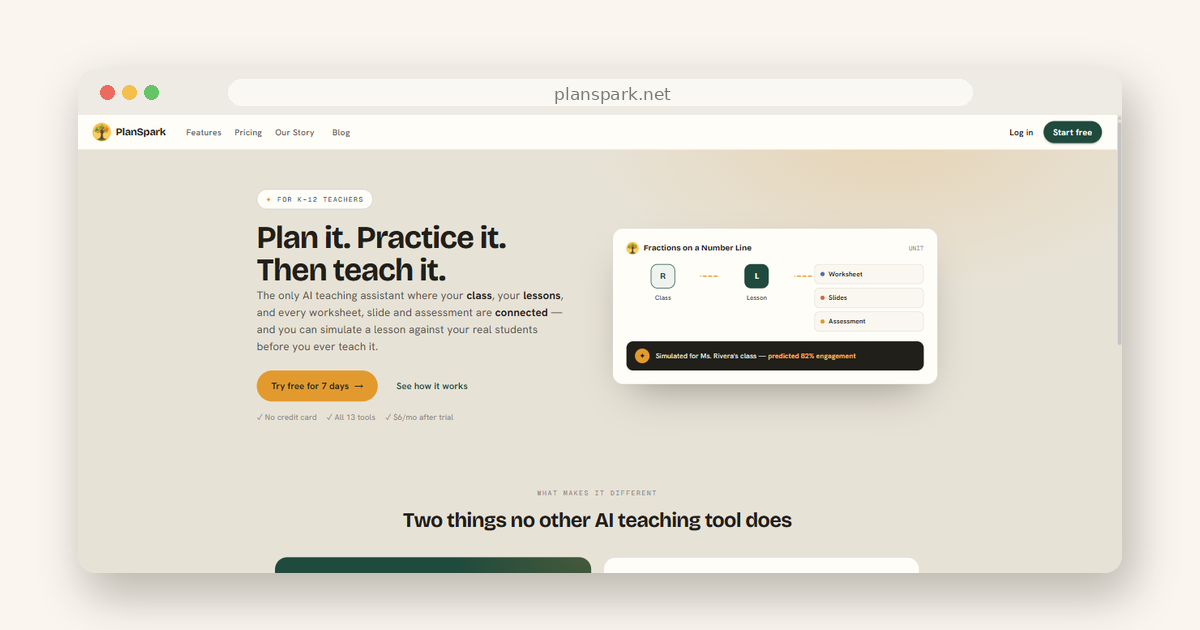
You start from what's real in your classroom: your class and your standard. Your class profile holds what matters about your students — reading levels, IEPs and 504s, language needs. Your standard flows into a lesson. And then, before you ever stand in front of the room, you can rehearse it.
That middle step is the Lesson Simulator, and it's still the thing no other platform has. It runs your lesson against your actual class profile and tells you what's likely to happen: where engagement dips, which parts your below-level readers will hit a wall on, what to fix before the bell rings instead of after. Plan it. Practice it. Then teach it.
From that one lesson, everything else follows. Worksheets, assessments, slides, rubrics — each generated from the lesson itself, each already aware of who's in the room. Your differentiation carries through automatically. You're not re-explaining your class to every tool; you told PlanSpark once, and it remembers.
The relaunch also changes how it feels to use.
The new Composer replaces the long forms. You describe what you want in a sentence — "a 30-minute lesson on fractions on a number line for my 5th graders, aligned to 5.NF.A.1" — and PlanSpark pulls out the details and builds it live while you watch. If you'd rather adjust a field by hand, you still can. But most of the time, one sentence is the whole setup.
Your work now lives together, too.
A lesson and everything built from it form a unit — one living document instead of a folder of disconnected downloads. Change your mind about a section? Edit it or regenerate just that piece, in place. The worksheet doesn't drift out of sync with the lesson, because they're part of the same thing.
And Ms. Spark, the built-in teaching assistant, now works in context. She knows your classes and your units, so when you ask for help, you get advice about your fraction unit for your third period — not generic tips.
None of this is about replacing your judgment.
It's about where your hours go. The thinking — what your students need, how to reach the kid who's two grade levels behind in reading — that's teaching, and it's yours. The re-typing, the reformatting, the rebuilding of the same context in five different tools? That's the part we took off your plate.
If you're reading this in the summer lull, honestly, that's the best time to try it. Set up a class profile with last year's realities (or a rough sketch of what's coming), run one lesson through the simulator, and see what the connected flow feels like before the August crunch hits. Walking into a new school year with your planning system already in place is a different way to start.
PlanSpark is $6/month after a 7-day free trial — full access, no credit card required.
Come see what one connected workflow feels like at planspark.net.