
What is a Lesson Plan Simulator?
Imagine you're a pilot preparing to fly a new route. Before takeoff, you practice in a flight simulator to anticipate turbulence, adjust your approach, and ensure a smooth journey. Now, imagine if we, as teachers, had a "simulator" for our classrooms—something to help us anticipate how a lesson would play out before we actually taught it. Enter the lesson plan simulator.
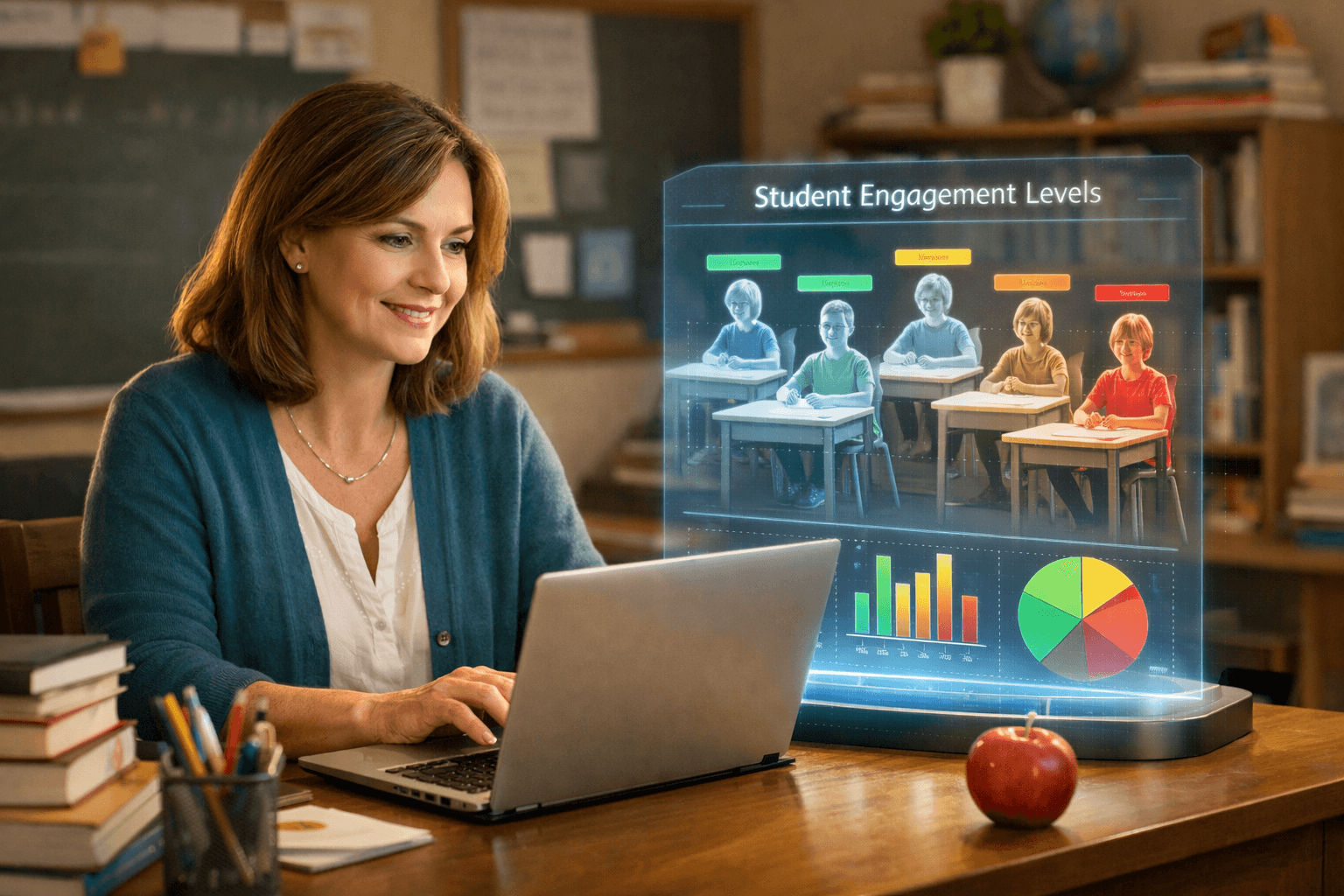
PlanSpark's Lesson Plan Simulator is the first tool of its kind, built specifically for K-12 teachers like us. It allows you to preview how a lesson plan might unfold with your specific class. By simulating the lesson against a customized class profile, you can see predicted engagement levels, comprehension estimates, and receive actionable improvement suggestions—all before you step into the classroom.
Curious? Let’s dive into how it works, why it’s so powerful, and how it integrates seamlessly into your teaching workflow.
How Does the Lesson Plan Simulator Work?
The magic of the lesson plan simulator starts with creating a class profile. Think of this as your flight manifest—every detail about your students’ needs, interests, and learning styles. The more information you provide, the more accurate the simulation.
Step 1: Build Your Class Profile
When you start with the lesson plan simulator, you’ll first input details about your class. Here’s what you can include:
- Class Size: Are you teaching a small group of 12 or a bustling classroom of 30?
- Grade Level: Tailor the simulation for kindergarteners, high schoolers, or anywhere in between.
- Learning Styles: Do you have visual learners, auditory learners, or kinesthetic learners? Add their preferences.
- Special Needs: Include considerations for IEPs or 504 Plans for students who need extra support.
- Behavioral Tendencies: Note if you have highly active students or a generally quiet group.
The beauty of this step is that you can create multiple profiles for different classes or groups, like your morning math block versus your afternoon science cohort.
Step 2: Import or Generate a Lesson Plan
Next, upload your existing lesson plan or use PlanSpark's Lesson Plan Generator to create one tailored to your objectives and standards. Not sure if your lesson aligns with standards? Use the Standards Unpacker to break down exactly what skills and knowledge your students need to master.
Step 3: Run the Simulation
Here’s where things get exciting! Once your lesson plan and class profile are ready, the simulator goes to work, analyzing your lesson against your class’s unique characteristics. In minutes, it generates a detailed report with:
- Engagement Scores: How likely your students are to stay engaged throughout the lesson.
- Comprehension Estimates: The percentage of students predicted to understand the key concepts.
- Actionable Suggestions: Tips to tweak your lesson for better outcomes, such as adding visuals, breaking tasks into smaller steps, or including movement breaks.
Step 4: Refine Your Plan
After reviewing the simulation results, you can adjust your lesson directly in PlanSpark. Make use of tools like custom assessments to pre-plan formative or summative evaluations, or create engaging activities using PlanSpark’s worksheet generator.
Once you’re satisfied, you’re ready to teach with confidence!
Why Every Teacher Needs a Lesson Plan Simulator
We’ve all been there: you spend hours crafting what you think is the perfect lesson, only to have it fall flat in the classroom. Students are disengaged, the activity takes twice as long as expected, or the learning goals just don’t stick. It’s frustrating, right?
The lesson plan simulator prevents these pitfalls by giving you insights ahead of time. Here’s why it’s a game-changer:
It Saves You Time
With the simulator, you can make data-driven adjustments before teaching, avoiding trial-and-error during class. No more scrambling to salvage an activity that didn’t land as planned!
It Helps Differentiate Instruction
By factoring in learning styles and special needs, the simulator helps you design lessons that work for every student in your class, ensuring no one is left behind.
It Boosts Your Confidence
Teaching can feel like walking a tightrope, but knowing your plan has been vetted by the simulator gives you the peace of mind to focus on what you do best—connecting with your students.
It’s Part of a Bigger Workflow
The lesson plan simulator isn’t just a standalone tool; it’s part of PlanSpark’s integrated workflow. You can start by unpacking standards with the Standards Unpacker, create a lesson with the Lesson Plan Generator, simulate it, and then assess its effectiveness with custom assessments. It’s a one-stop shop for thoughtful, data-driven instruction.
Real-Life Example: A Teacher’s Experience
Let’s say you’re a 5th-grade teacher planning a lesson on fractions. You’ve designed a hands-on activity where students use fraction tiles to solve problems. You run the simulation and discover:
- Your kinesthetic learners will thrive, but your auditory learners may struggle without clear verbal instructions.
- Engagement drops in the second half of the lesson, suggesting you need a movement break or a quick game to re-energize the class.
- Comprehension rates are predicted to be 70%, with some students needing additional visual supports.
Armed with this information, you add a brief discussion at the start of the lesson for auditory learners, incorporate a quick “fraction bingo” game in the middle, and prepare extra visuals for students who need them. The result? A smoother, more effective lesson—and happier, more engaged students.
Ready to Try the Lesson Plan Simulator?
If you’re ready to take the guesswork out of lesson planning, give PlanSpark’s Lesson Plan Simulator a try. It’s included in our free trial, so there’s no risk in exploring how it can transform your teaching. Start by creating a class profile, and let the simulator show you what’s possible.
We’re all striving to make our lessons as impactful as possible, and tools like the lesson plan simulator bring us one step closer. Let’s embrace this game-changing technology and continue to grow as educators—our students deserve nothing less.